> ## Documentation Index
> Fetch the complete documentation index at: https://docs.assistantscenter.com/llms.txt
> Use this file to discover all available pages before exploring further.
# Log Handler
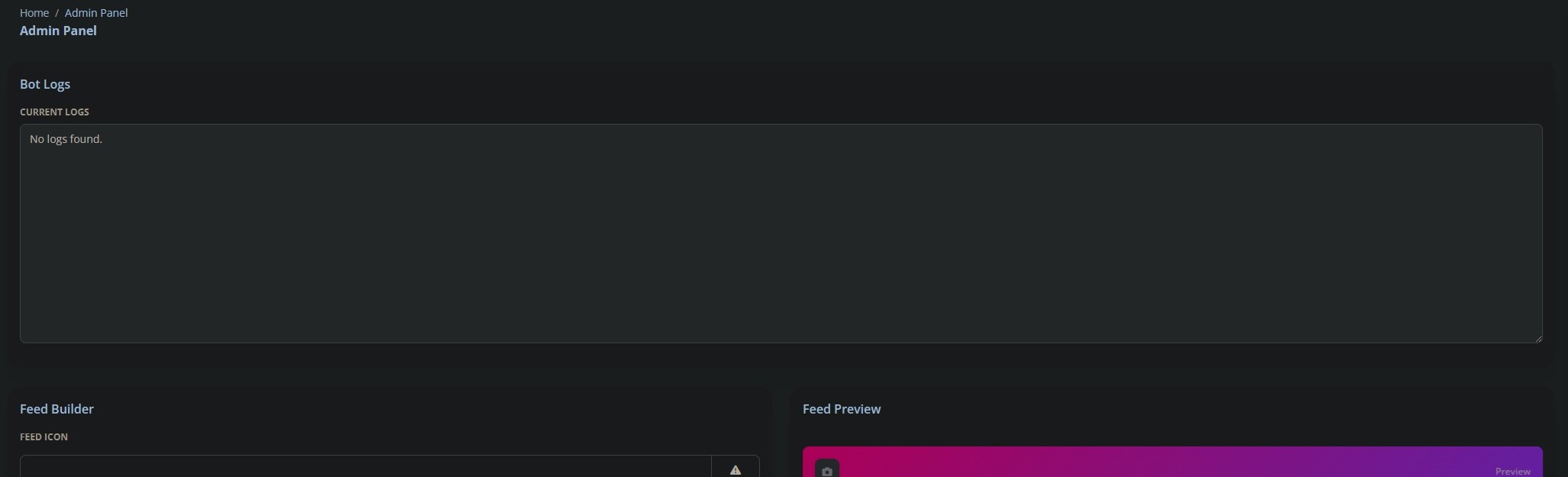
> This is a log handler for your bot. It will collect all the logs from your bot and display them in the dashboard's admin page.
## Dashboard Setup
Place this in your admin config which is located in the theme config and change the key to your own **SECURE** string.
```js theme={null}
theme: SoftUI({
admin: {
logs: {
enabled: Boolean,
key: String,
},
},
});
```
### Example Usage
```js theme={null}
theme: SoftUI({
admin: {
logs: {
enabled: true,
key: "place your key here!",
},
},
});
```
## Image
 ## Bot Setup
Install the NPM package in **Bot**
```bash npm theme={null}
npm install @dbd-soft-ui/logs
```
```bash yarn theme={null}
yarn add @dbd-soft-ui/logs
```
```bash pnpm theme={null}
pnpm add @dbd-soft-ui/logs
```
```bash bun theme={null}
bun add @dbd-soft-ui/logs
```
Almost done! Place this code into your ready event on the bot.
```js theme={null}
const DLU = require("@dbd-soft-ui/logs");
client.on("ready", () => {
DLU.register(client, {
dashboard_url: String,
key: String,
});
});
process.on("unhandledRejection", (reason, p) => {
DLU.send(client, {
title: String,
description: reason,
});
});
```
It should look like this, except with your details:
```js theme={null}
const DLU = require("@dbd-soft-ui/logs");
client.on("ready", () => {
DLU.register(client, {
dashboard_url: "https://softui.assistantscenter.com",
key: "YOURKEYHERE",
});
});
process.on("unhandledRejection", (reason, p) => {
DLU.send(client, {
title: "Unhandled Rejection",
description: reason,
});
});
```
And we are done! Now just restart your dashboard and bot then the logs collection will begin.
## Props
A String with the url to your dashboard
A String with the secret key from your dashboard
## Bot Setup
Install the NPM package in **Bot**
```bash npm theme={null}
npm install @dbd-soft-ui/logs
```
```bash yarn theme={null}
yarn add @dbd-soft-ui/logs
```
```bash pnpm theme={null}
pnpm add @dbd-soft-ui/logs
```
```bash bun theme={null}
bun add @dbd-soft-ui/logs
```
Almost done! Place this code into your ready event on the bot.
```js theme={null}
const DLU = require("@dbd-soft-ui/logs");
client.on("ready", () => {
DLU.register(client, {
dashboard_url: String,
key: String,
});
});
process.on("unhandledRejection", (reason, p) => {
DLU.send(client, {
title: String,
description: reason,
});
});
```
It should look like this, except with your details:
```js theme={null}
const DLU = require("@dbd-soft-ui/logs");
client.on("ready", () => {
DLU.register(client, {
dashboard_url: "https://softui.assistantscenter.com",
key: "YOURKEYHERE",
});
});
process.on("unhandledRejection", (reason, p) => {
DLU.send(client, {
title: "Unhandled Rejection",
description: reason,
});
});
```
And we are done! Now just restart your dashboard and bot then the logs collection will begin.
## Props
A String with the url to your dashboard
A String with the secret key from your dashboard