> ## Documentation Index
> Fetch the complete documentation index at: https://docs.assistantscenter.com/llms.txt
> Use this file to discover all available pages before exploring further.

# Color Scheme

> A String which sets the color scheme of the whole website.

```js theme={null}
theme: SoftUI({
  colorScheme: string,
});
```

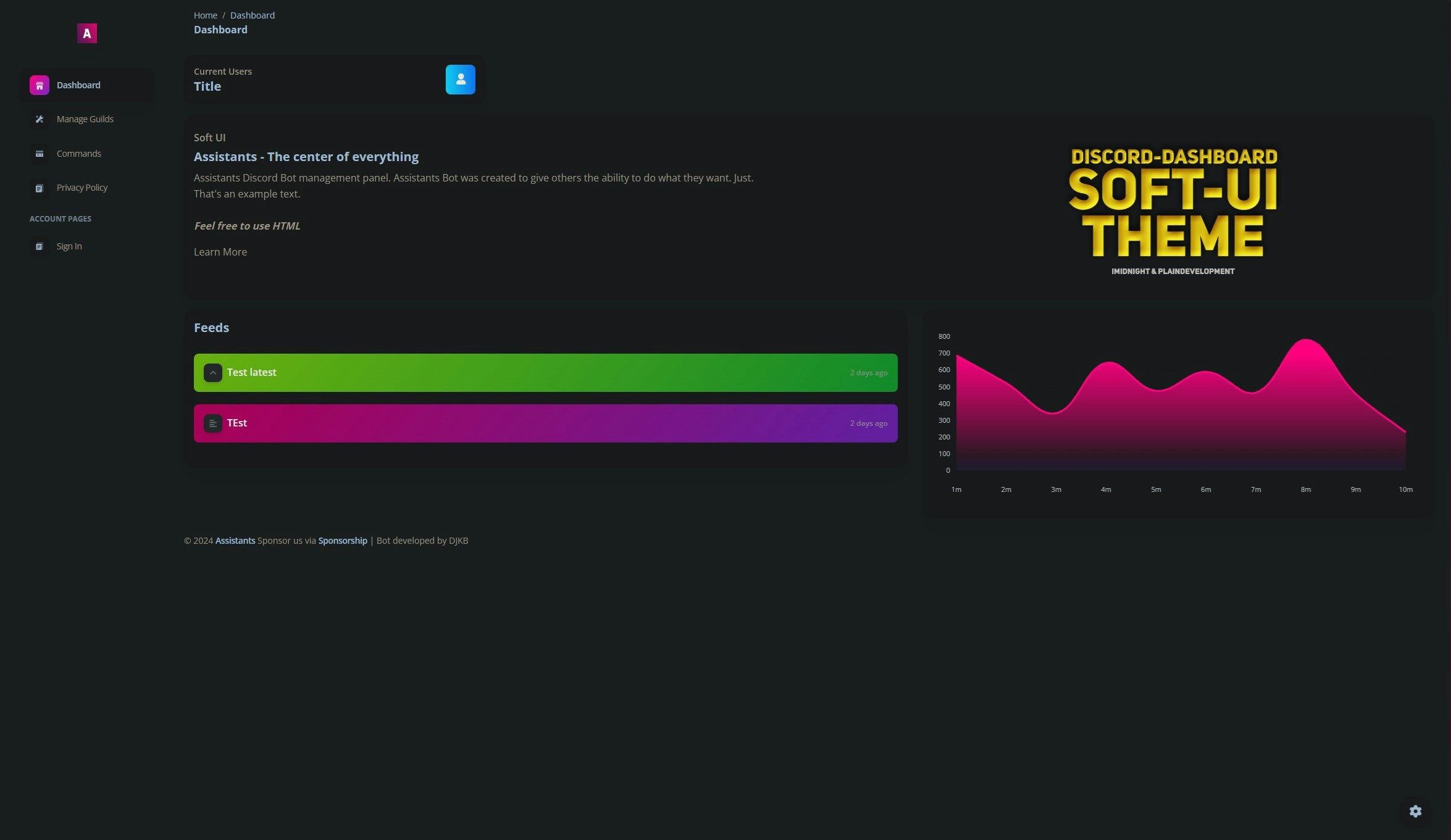
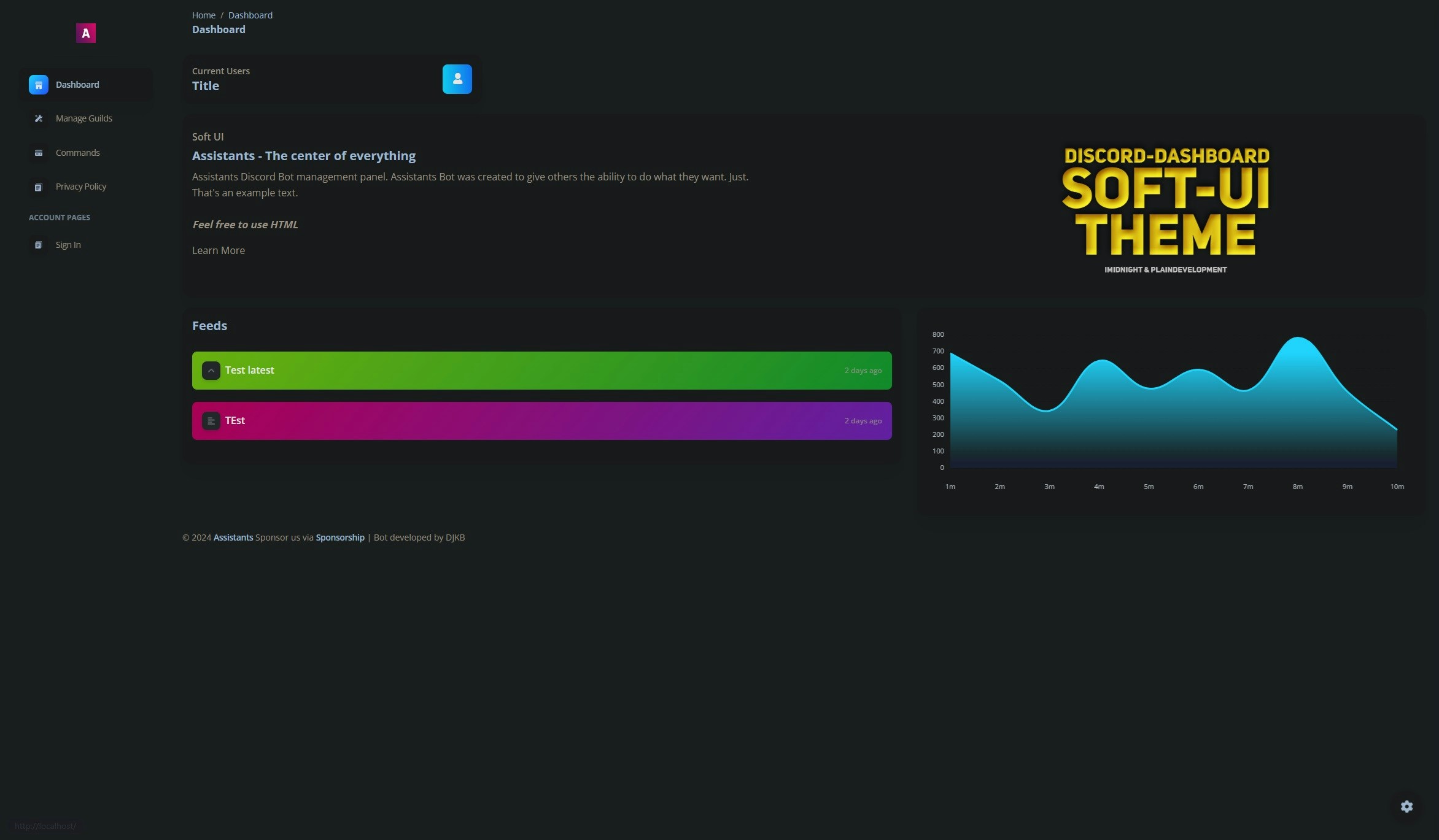
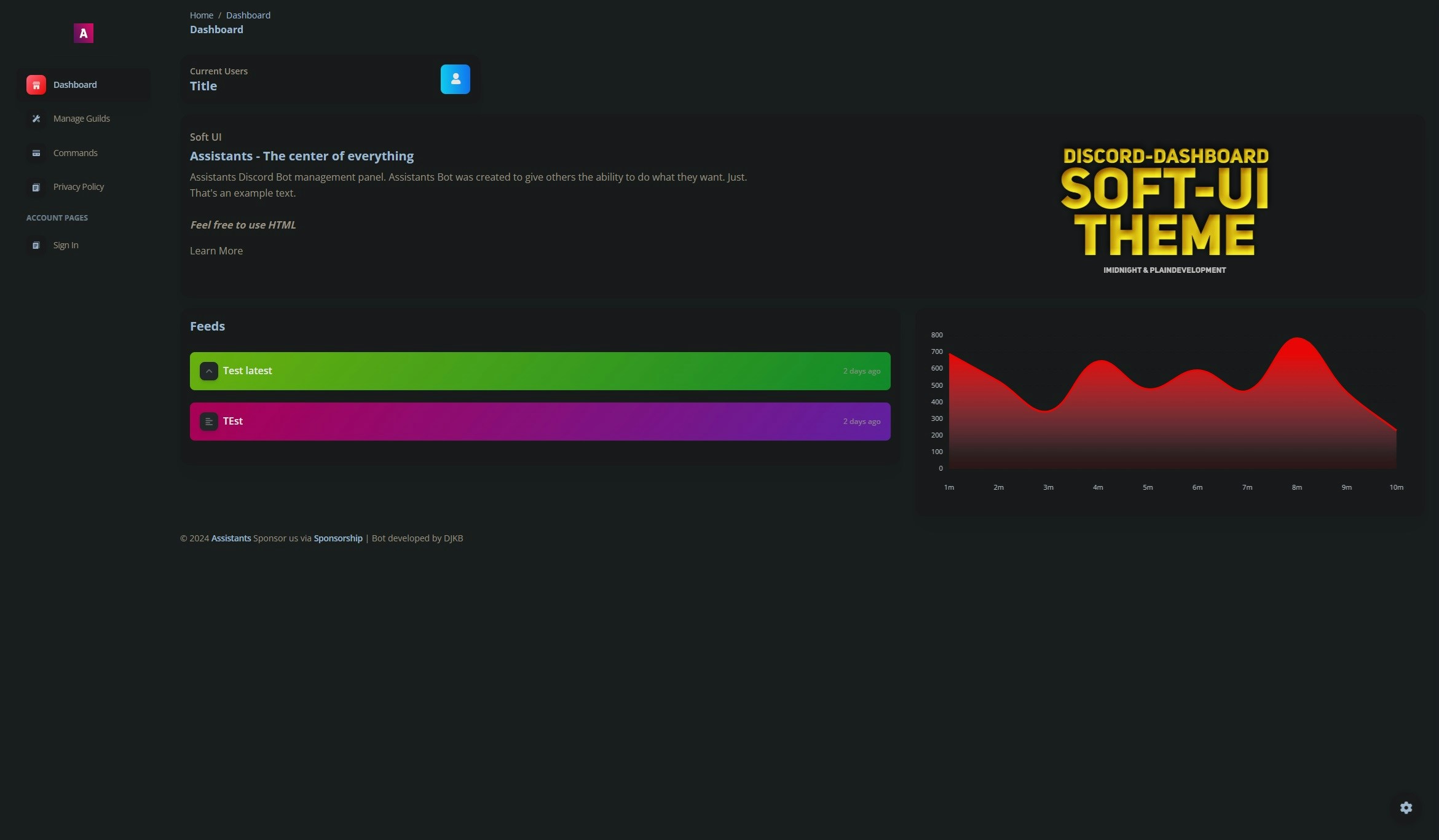
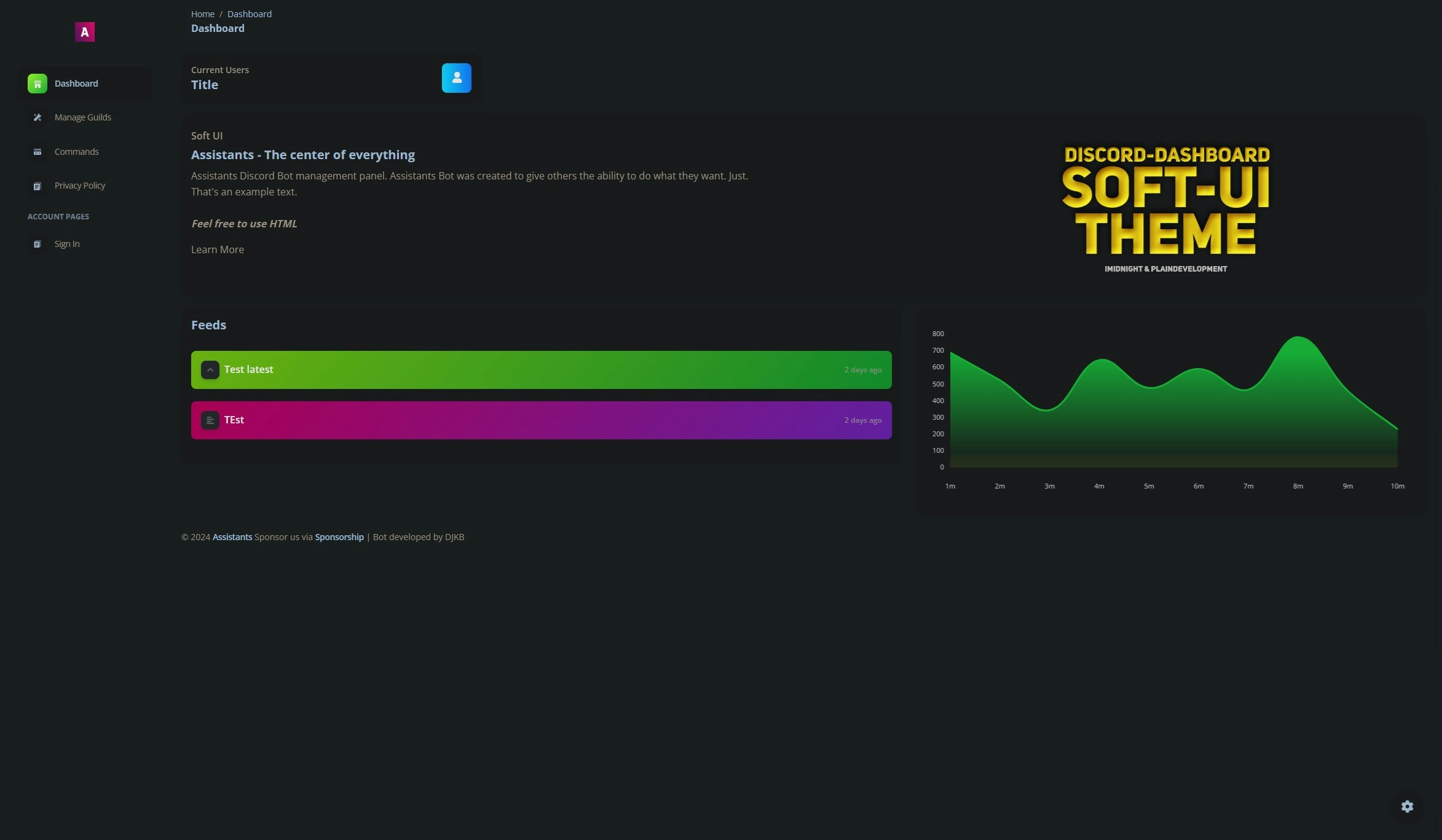
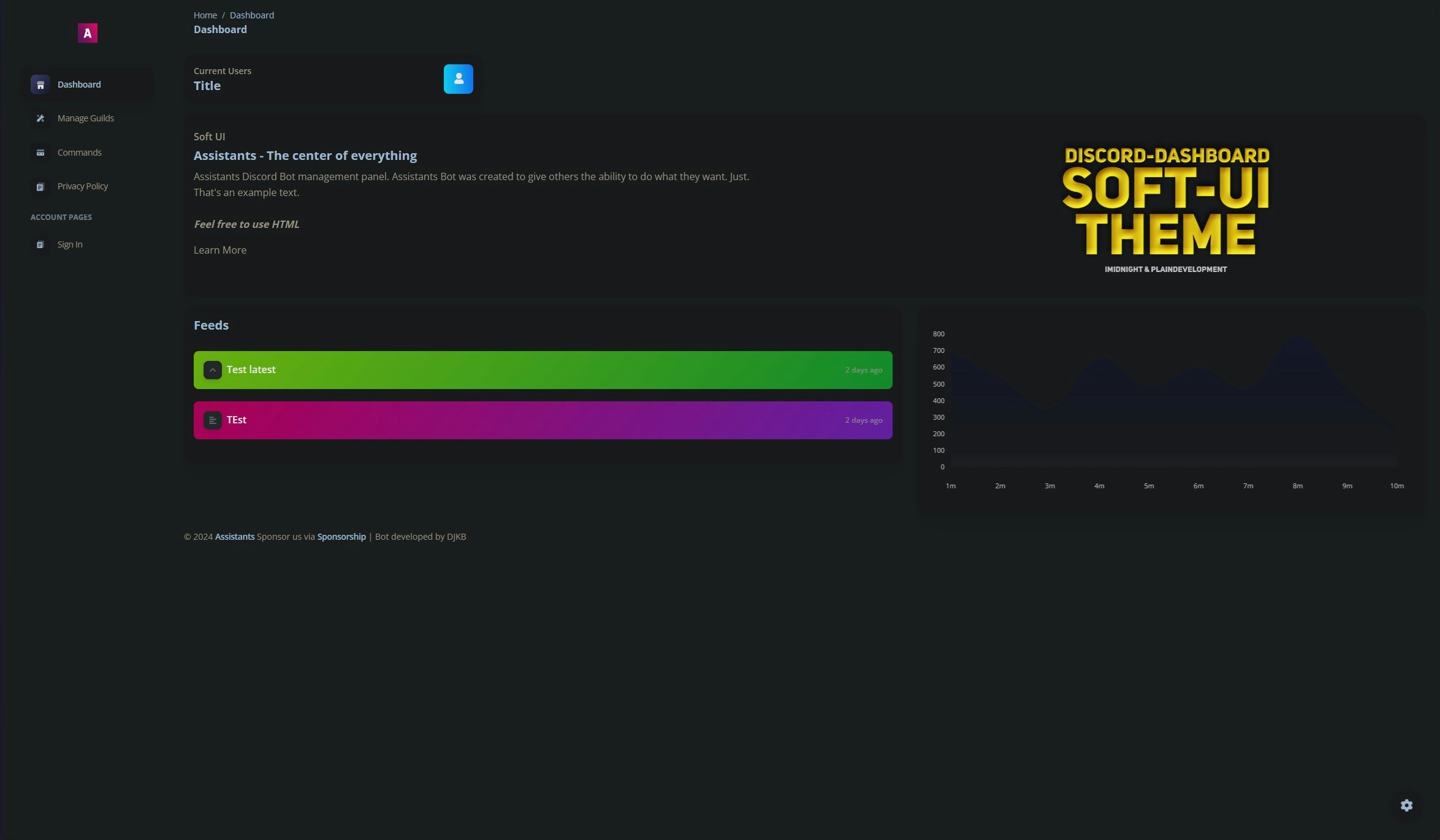
## Available Colors

* dark
* pink
* blue
* red
* green
* yellow

## Example Usage

```js theme={null}
theme: SoftUI({
  colorScheme: "pink",
});
```

## Image
<Tabs>
  <Tab title="dark">
    <Frame type="glass">
      <img src="https://mintcdn.com/assistantscenter/e0fzjuWUPc5-sSJC/images/content/dark.jpg?fit=max&auto=format&n=e0fzjuWUPc5-sSJC&q=85&s=1204affaf01a40d7e024299a2615f2e6" width="2349" height="1371" data-path="images/content/dark.jpg" />
    </Frame>
  </Tab>

  <Tab title="pink">
    <Frame type="glass">
      <img src="https://mintcdn.com/assistantscenter/e0fzjuWUPc5-sSJC/images/content/pink.jpg?fit=max&auto=format&n=e0fzjuWUPc5-sSJC&q=85&s=8a03f7ceae8c72c5f8994c61a29f92bb" width="2350" height="1361" data-path="images/content/pink.jpg" />
    </Frame>
  </Tab>

  <Tab title="blue">
    <Frame type="glass">
      <img src="https://mintcdn.com/assistantscenter/e0fzjuWUPc5-sSJC/images/content/blue.jpg?fit=max&auto=format&n=e0fzjuWUPc5-sSJC&q=85&s=6315d66e505da24b6ff1fe4b31e233ff" width="2344" height="1369" data-path="images/content/blue.jpg" />
    </Frame>
  </Tab>

  <Tab title="red">
    <Frame type="glass">
      <img src="https://mintcdn.com/assistantscenter/e0fzjuWUPc5-sSJC/images/content/red.jpg?fit=max&auto=format&n=e0fzjuWUPc5-sSJC&q=85&s=5c97c502b29f3f7fc3a5991c925fc262" width="2341" height="1367" data-path="images/content/red.jpg" />
    </Frame>
  </Tab>

  <Tab title="green">
    <Frame type="glass">
      <img src="https://mintcdn.com/assistantscenter/e0fzjuWUPc5-sSJC/images/content/green.jpg?fit=max&auto=format&n=e0fzjuWUPc5-sSJC&q=85&s=b82a16fc6d443875f28a1ae60d8c98d7" width="2346" height="1367" data-path="images/content/green.jpg" />
    </Frame>
  </Tab>

  <Tab title="yellow">
    <Frame type="glass">
      <img src="https://mintcdn.com/assistantscenter/e0fzjuWUPc5-sSJC/images/content/yellow.jpg?fit=max&auto=format&n=e0fzjuWUPc5-sSJC&q=85&s=3f21e7cabc01c25755163ae136d1e984" width="2344" height="1366" data-path="images/content/yellow.jpg" />
    </Frame>
  </Tab>
</Tabs>

## Custom Color Scheme

You can also define your own color scheme by setting the `colorScheme` to custom and adding the `themeColors` Object.

### Example Usage

```js theme={null}
theme: SoftUI({
  colorScheme: "custom",
  themeColors: {
    primaryColor: "#ff0000",
    secondaryColor: "#ff0000",
  },
});
```

## Props

<ParamField path="colorScheme" type="string" required>
  The color scheme of the website
</ParamField>

<ResponseField name="themeColors" type="Object">
  <Expandable title="properties" defaultOpen>
    <ResponseField name="primaryColor" type="string" required>
      The primary color of the website as HEX code
    </ResponseField>

    <ResponseField name="secondaryColor" type="string">
      The secondary color of the website as HEX code
    </ResponseField>
  </Expandable>
</ResponseField>