> ## Documentation Index
> Fetch the complete documentation index at: https://docs.assistantscenter.com/llms.txt
> Use this file to discover all available pages before exploring further.
# Admin
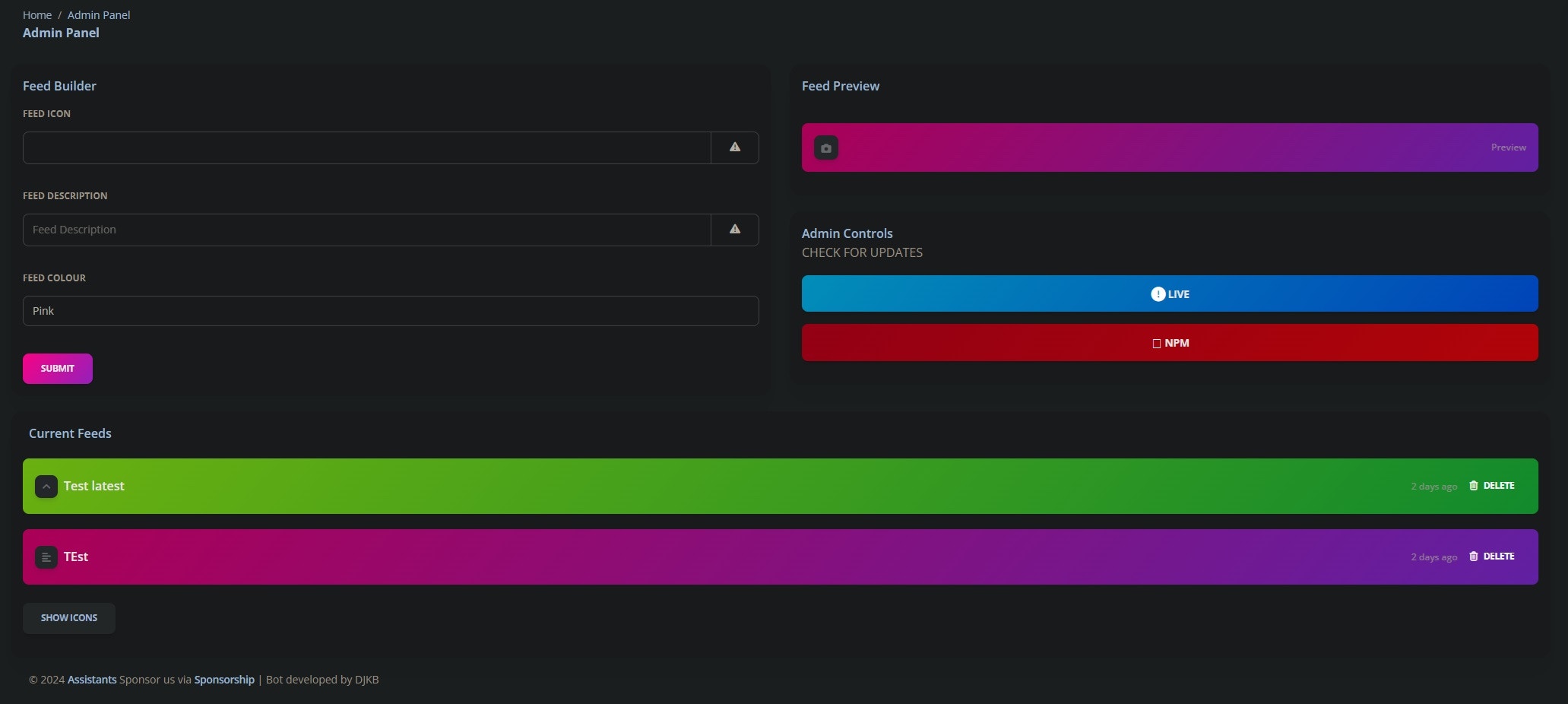
> An Object which contains all the information for the admin page.
```js theme={null}
theme: SoftUI({
admin: {
pterodactyl: {
enabled: Boolean,
apiKey: String,
panelLink: String,
serverUUIDs: String[],
},
},
});
```
## Example Usage
```js theme={null}
theme: SoftUI({
admin: {
pterodactyl: {
enabled: false,
apiKey: "myPterodactylApiKey",
panelLink: "https://panel.example.com",
serverUUIDs: ["server-uuid-1", "server-uuid-2"],
},
},
});
```
## Image
 ## Props
Indicate if the pterodactyl section should be enabled
The API key for the pterodactyl panel
Link to your pterodactyl panel
UUIDs of the servers you wish to control
## Props
Indicate if the pterodactyl section should be enabled
The API key for the pterodactyl panel
Link to your pterodactyl panel
UUIDs of the servers you wish to control