> ## Documentation Index
> Fetch the complete documentation index at: https://docs.assistantscenter.com/llms.txt
> Use this file to discover all available pages before exploring further.
# Spacer
Usage is kinda different for this one. You don’t need to define getActualSet, etc. Just define an option as:
```js theme={null}
{
optionType: 'spacer',
title: string,
description: string
}
```
Title string for spacer. You can use HTML there.
Description string for spacer. You can use HTML there.
## Example Usage
```javascript theme={null}
{
optionType: SoftUI.formTypes.spacer(),
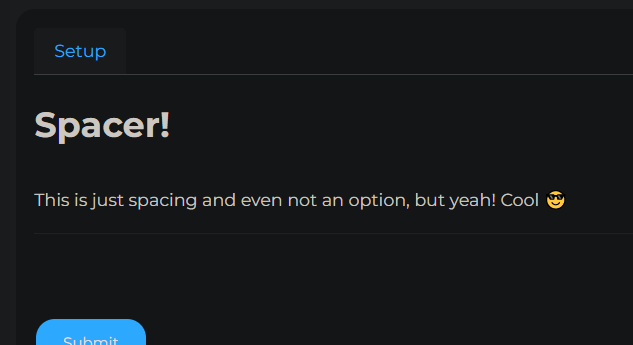
title: 'Spacer!',
description: 'This is just spacing and even not an option, but yeah! Cool 😎'
}
```